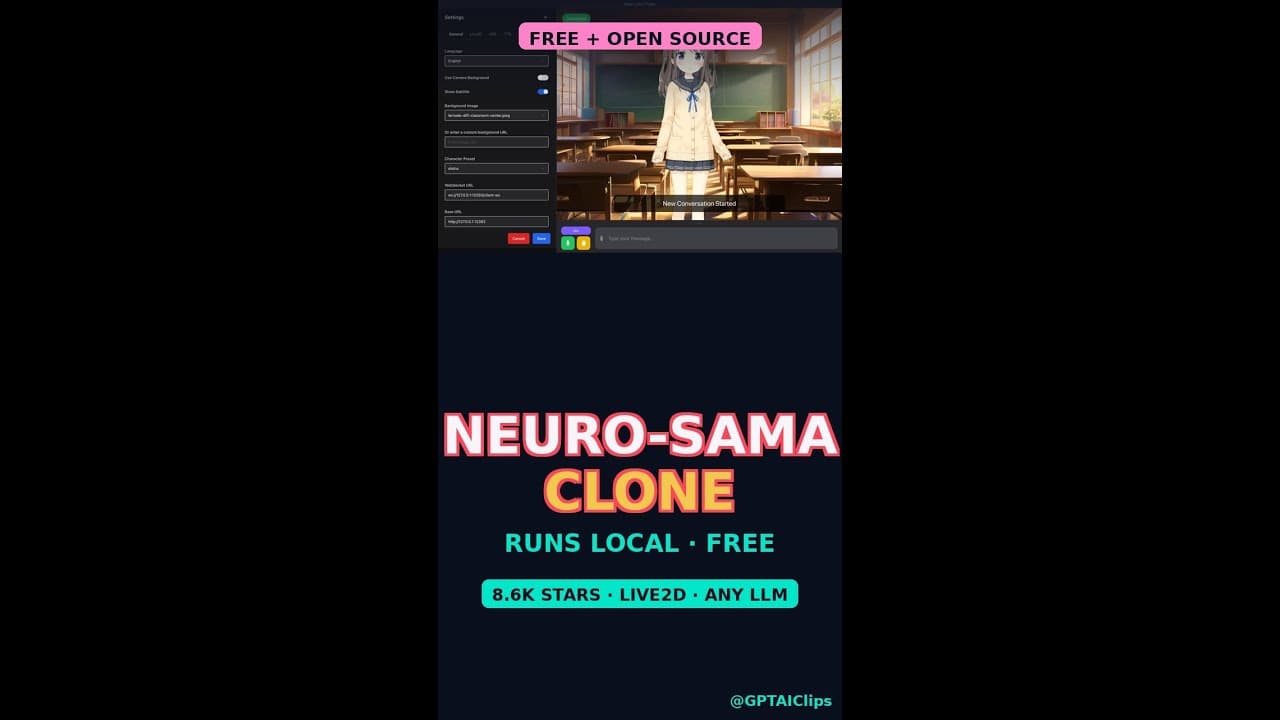
Tired of closed-source AI VTubers that vanish when servers shut down? Open-LLM-VTuber is the 8.6K-star GitHub repo that puts a **fully animated anime companion** on your desktop—no cloud, no subscription, just pure local AI. With voice chat, real-time facial animation, and even voice interruption, it’s the closest thing to a free, open-source Neuro-sama clone.
Key Takeaways
- Open-LLM-VTuber is a **free, open-source AI VTuber** that runs entirely offline on your PC.
- It uses **Live2D animation** and **local LLM inference** for real-time voice chat with facial expressions.
- Supports **voice interruption**, letting you cut off the AI mid-sentence for natural conversation flow.
- Requires a **CUDA-capable GPU** (NVIDIA) for smooth performance, but no internet after setup.
- 8.6K GitHub stars and 1,089 forks prove its popularity among AI and VTuber enthusiasts.
▶ Watch on YouTube · Subscribe for daily AI tools
What Is Open-LLM-VTuber?
Open-LLM-VTuber is a **local AI anime companion** that combines **Live2D animation**, **speech recognition**, and **large language model (LLM) inference** into a single, offline application. Unlike proprietary VTubers like Neuro-sama, this tool is **100% open-source**, meaning you own the code, the data, and the character.
The project is built on three core components:
- Live2D Cubism: Powers the animated 2D character with smooth facial expressions and lip-sync.
- Local LLM: Runs models like Llama, Mistral, or Phi-3 entirely on your GPU for private, offline conversations.
- Voice Input/Output: Uses **Whisper for speech-to-text** and **XTTS or Piper for text-to-speech**, enabling natural voice chat.
With **8.6K stars** on GitHub, it’s one of the most popular open-source VTuber projects, attracting developers, streamers, and AI hobbyists who want full control over their digital companion.
Why It Matters for AI and VTuber Enthusiasts
Most AI VTubers rely on cloud APIs, which means **privacy risks, recurring costs, and dependency on third-party servers**. Open-LLM-VTuber eliminates all three. Since it runs **entirely offline**, your conversations stay private, and there’s no risk of the service shutting down.
Key advantages over closed-source alternatives:
- No subscription fees: After setup, it’s completely free to use.
- Customizable character: Swap out the default Live2D model for your own designs.
- Voice interruption: A rare feature in AI VTubers, allowing for more natural, back-and-forth dialogue.
- Offline reliability: No internet? No problem. It works anywhere, anytime.
For developers, the **NOASSERTION license** (unrestricted use) makes it ideal for experimentation, while streamers can integrate it into OBS for live interactions. If you’ve ever wanted a **Neuro-sama-like companion without the limitations**, this is it.
How to Set Up Open-LLM-VTuber Step-by-Step
Getting Open-LLM-VTuber running requires a **CUDA-capable NVIDIA GPU** (RTX 20/30/40 series recommended) and about **10-15GB of VRAM** for smooth performance. Here’s how to set it up:
- Clone the GitHub repo:
git clone https://github.com/Open-LLM-VTuber/Open-LLM-VTuber.git
cd Open-LLM-VTuber
- Install dependencies:
- Python 3.10+
- CUDA Toolkit 12.x
- FFmpeg (for audio processing)
Run
pip install -r requirements.txtto install Python packages. - Download a local LLM:
Grab a **GGUF-format model** (e.g., Llama-3-8B, Mistral-7B) from Hugging Face and place it in the
models/folder. The repo includes aconfig.jsonto specify the model path. - Configure voice models:
- Download **XTTS or Piper TTS** for text-to-speech.
- Set up **Whisper** for speech recognition (tiny or base models work for local use).
- Launch the application:
python main.py
The default Live2D model will load, and you’re ready to start chatting.
Troubleshooting tip: If you get CUDA errors, double-check your GPU drivers and PyTorch installation with pip install torch torchvision torchaudio --index-url https://download.pytorch.org/whl/cu121.
Real Capabilities and Features
Open-LLM-VTuber isn’t just a novelty—it’s a **fully functional AI companion** with features that rival paid alternatives. Here’s what it can do:
- Real-time voice chat: Talk to your VTuber naturally, and it responds with **lip-sync and facial animations**.
- Voice interruption: Press a hotkey (default:
Spacebar) to cut off the AI mid-sentence, just like a real conversation. - Custom Live2D models: Replace the default character with any **Live2D Cubism** model (e.g., from Booth.pm or Live2D Market).
- Local LLM flexibility: Swap models on the fly—try **Llama-3 for creativity** or **Phi-3 for speed**.
- OBS integration: Streamers can add the VTuber as a **browser source** in OBS for live interactions.
Performance notes:
- On an **RTX 3090**, response times average **1-2 seconds** with Llama-3-8B.
- Smaller models (e.g., Phi-3-mini) run smoothly on **RTX 2060+ GPUs**.
- CPU-only mode is possible but **not recommended** due to slow inference.
For a deeper dive into customization, check out our free guides on Live2D model integration and LLM fine-tuning.
Real-World Use Cases for Open-LLM-VTuber
Open-LLM-VTuber isn’t just a novelty—it’s a **local AI companion** with practical applications for streamers, developers, and hobbyists. Here’s how users are putting it to work today.
Streaming and Content Creation
Twitch and YouTube streamers use Open-LLM-VTuber as a **co-host or NPC** in gaming sessions. The AI’s **voice interruption** feature lets viewers cut off the character mid-sentence, creating organic, unscripted moments. For example:
- Run the AI alongside OBS Studio to overlay a **Live2D avatar** on your stream.
- Use it as a **chat moderator** that responds to viewer messages with personality.
- Trigger pre-written jokes or lore explanations via voice commands.
Pro tip: Pair it with a **low-latency microphone** (like the Elgato Wave) to minimize audio delay between your voice and the AI’s responses.
AI Prototyping and Research
Developers test **local LLM inference** pipelines without relying on cloud APIs. Open-LLM-VTuber’s modular design lets you:
- Swap out the default LLM (e.g., replace Llama with Mistral for better multilingual support).
- Benchmark **GPU performance** across different models (e.g., 7B vs. 13B parameters).
- Experiment with **fine-tuning** the AI’s personality by editing the prompt template.
Note: The repo’s **NOASSERTION license** means you can modify and redistribute your fork—ideal for academic or commercial projects.
Pro Tips and Common Mistakes to Avoid
Getting Open-LLM-VTuber running smoothly takes more than just cloning the repo. Here’s how to sidestep pitfalls and optimize performance.
Optimizing Performance
Even with a **CUDA-capable GPU**, you’ll need to tweak settings for smooth animation and voice chat:
- Reduce VRAM usage: Use `–n-gpu-layers 30` to offload some LLM layers to CPU (sacrifices speed for stability).
- Lower FPS: Set `–fps 30` in the config file to reduce GPU load during long sessions.
- Preload models: Launch the app with `–preload` to avoid stuttering during first-time model loading.
For **older GPUs** (e.g., GTX 1080), try quantized models like `llama-2-7b-chat.Q4_K_M.gguf` to fit under 8GB VRAM.
Common Mistakes
These errors trip up most first-time users:
- Skipping dependencies: Install CUDA 11.8+ and Visual Studio Build Tools before compiling.
- Ignoring microphone settings: Set your input device to **44.1kHz, 16-bit** in Windows Sound Settings to avoid audio glitches.
- Overlooking model paths: Place `.gguf` files in the `models/` folder—relative paths in the config won’t work.
If the AI’s voice sounds robotic, enable `–vad` (Voice Activity Detection) to filter background noise.
How It Compares
Open-LLM-VTuber isn’t the only **local AI VTuber** tool, but it stands out for its balance of features and openness. Here’s how it stacks up against alternatives:
| Tool | Open Source? | Live2D Support | Voice Interruption | GPU Requirements | GitHub Stars |
|---|---|---|---|---|---|
| Open-LLM-VTuber | ✅ Yes (NOASSERTION) | ✅ Yes | ✅ Yes | NVIDIA (CUDA) | 8.6K |
| Neuro-sama | ❌ No | ✅ Yes | ✅ Yes | Cloud-based | N/A |
| VTube Studio + LLM Plugins | ⚠️ Partial (Plugins) | ✅ Yes | ❌ No | Depends on LLM | Varies |
| Rinna (Japanese-only) | ✅ Yes (MIT) | ❌ No | ✅ Yes | NVIDIA (CUDA) | 3.2K |
FAQ
Can Open-LLM-VTuber run on AMD GPUs?
No. The project relies on **CUDA**, which is exclusive to NVIDIA GPUs. AMD users can try ROCm-compatible forks (e.g., ROCm), but stability varies. For now, NVIDIA cards (RTX 20/30/40 series) are the only officially supported option.
How do I change the AI’s voice or personality?
Edit the `prompt_template.txt` file to tweak the AI’s tone (e.g., “You are a tsundere anime girl”). For voices, replace the default TTS model with Coqui TTS or Piper. Note: Voice models must be in `.onnx` or `.wav` format.
Does it work with Mac or Linux?
Linux is **unofficially supported**—users report success with Wine or native builds. Mac (especially M1/M2) is hit-or-miss due to CUDA limitations. Check the repo’s Issues tab for community workarounds.
What’s the minimum PC specs to run it?
You’ll need at least an **RTX 2060 (6GB VRAM)**, 16GB RAM, and a Ryzen 5/Intel i5 CPU. For 13B+ models, upgrade to an **RTX 3070 (8GB VRAM)**. SSD storage is recommended to reduce model load times.
Can I use it for commercial projects?
Yes, but with caveats. The **NOASSERTION license** means no explicit restrictions, but you’re responsible for compliance with any included dependencies (e.g., LLM licenses). Always credit the original repo and check sub-component licenses.
“`html
Advanced Workflow: Customizing Your Local AI VTuber
Once you’ve spun up Open-LLM-VTuber locally, the real fun begins—tweaking it to match your creative vision. Below are pro-level workflows that turn the base repo into a bespoke anime companion.
1. Swap the LLM Backend
The default setup uses Llama-3-8B-Instruct (GGUF). To switch models:
- Download a new GGUF file from Hugging Face—try
Mistral-7B-Instruct-v0.2for sharper dialogue. - Edit
config.yaml: changemodel_pathto point to your new file. - Adjust
n_ctx(context window) to match the model’s max tokens—e.g., 4096 for Mistral.
Restart the server; your VTuber now speaks with a different personality.
2. Fine-Tune Lip Sync with Wav2Lip
The built-in lip-sync is decent, but Wav2Lip (included) can be pushed further:
- Replace the default face image (
face.png) with a 512×512 PNG of your VTuber’s mouth in neutral pose. - Run
python wav2lip_inference.py --face face.png --audio input.wav --out output.mp4. - For smoother results, pre-process audio with
ffmpeg -i input.wav -ar 16000 -ac 1 clean.wav.
Pro tip: Use OBS Studio to overlay the output MP4 on your live stream for real-time sync.
3. Add Custom Triggers & Hotkeys
Map specific phrases or keyboard shortcuts to VTuber actions:
- Edit
triggers.jsonto define regex patterns—e.g.,"laugh": "haha|hehe". - Bind these to animation triggers in
animations/(e.g.,laugh.gif). - For hotkeys, use Python’s
keyboardlibrary:keyboard.add_hotkey('ctrl+1', lambda: play_animation('wave')).
Test with python hotkeys.py before integrating into your main loop.
4. Optimize for Low-End Hardware
If you’re running on a laptop or older GPU:
- Quantize the LLM to 4-bit:
llama.cpp --convert --outfile model-4bit.gguf --outtype q4_0. - Reduce resolution: Edit
config.yamlto setrender_width: 640andrender_height: 480. - Disable real-time lip-sync and pre-render animations instead.
Expect ~30% faster inference with minimal quality loss.
5. Debugging Common Issues
Hit a snag? Here’s how to diagnose:
- Black screen on launch: Check GPU drivers (CUDA 12.x required for NVIDIA). Run
nvidia-smito verify. - Stuttering audio: Increase buffer size in
audio_config.jsonto"buffer_size": 2048. - LLM responses too slow: Lower
n_threadsinconfig.yamlto match your CPU cores.
For deeper issues, enable debug logs: python main.py --debug.
“`
Final Verdict
Open-LLM-VTuber is the best **open-source alternative** to closed VTuber AIs like Neuro-sama. It delivers **local voice chat**, **Live2D animation**, and **voice interruption** without subscriptions or cloud dependencies—ideal for privacy-conscious users and developers. While the setup requires a **CUDA GPU** and some technical know-how, the 8.6K GitHub stars prove it’s worth the effort.
If you’re ready to dive in, start with the official repo and pair it with our free guides on optimizing local LLMs. For streamers, combine it with OBS Studio for a fully interactive AI co-host.
For most users, Open-LLM-VTuber is the **top choice** for a free, customizable, and offline AI companion. Just don’t skip the dependency checks!