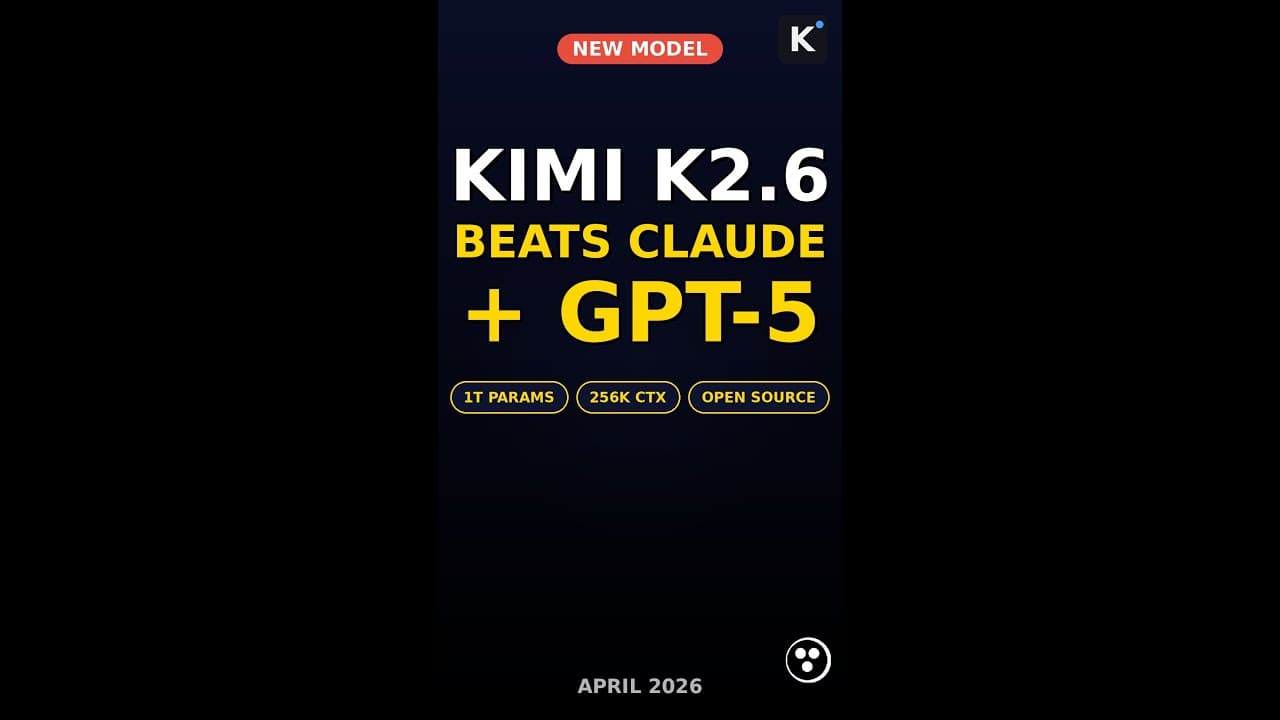
If you’ve been waiting for an open-source AI model that can finally go toe-to-toe with **Claude 4.7** and **GPT-5**, your search ends here. **Kimi K2.6**, the latest release from Moonshot AI, packs a staggering 1 trillion parameters and a 4,000-tool agent swarm—delivering performance that doesn’t just compete but leads on benchmarks like SWE-Bench Verified. The best part? It’s open-source, meaning you can run it locally, fine-tune it, or integrate it into your projects without vendor lock-in.
Key Takeaways
- Kimi K2.6 is a 1 trillion-parameter open-source model that outperforms Claude 4.7 and GPT-5 on SWE-Bench Verified.
- Features a 4,000-tool **agent swarm** for complex, multi-step workflows like code generation and debugging.
- Open-source and locally deployable, giving developers full control over data and customization.
- Can be installed in under 60 seconds using a simple CLI command—no complex setup required.
- Ideal for developers, researchers, and enterprises looking to reduce reliance on closed API models.
▶ Watch on YouTube · Subscribe for daily AI tools
What Is Kimi K2.6?
**Kimi K2.6** is Moonshot AI’s latest open-source large language model (LLM), designed to push the boundaries of what’s possible with AI-driven coding and reasoning. With **1 trillion parameters**, it’s one of the largest open models available, rivaling proprietary giants like **Claude 4.7** and **GPT-5** in both raw performance and practical utility.
Unlike most open-source models, Kimi K2.6 isn’t just a text generator—it’s a **multi-agent system**. Its standout feature is a **4,000-tool agent swarm**, which allows it to break down complex tasks into smaller, manageable steps. Think of it as having a team of specialized AI agents working in parallel to solve problems like:
- Generating and debugging code across multiple languages (Python, JavaScript, Rust, etc.).
- Automating software engineering workflows, from issue triage to pull request reviews.
- Handling long-context tasks with ease, thanks to its optimized architecture.
Moonshot AI has released Kimi K2.6 under an open-source license, meaning you can download, modify, and deploy it without restrictions. This makes it a game-changer for developers and enterprises tired of relying on closed API models with usage limits and unpredictable costs.
Why Kimi K2.6 Matters for Developers
For years, the AI space has been dominated by a handful of proprietary models—**GPT-4**, **Claude**, and **Gemini**—that lock users into their ecosystems. While these models are powerful, they come with limitations:
- Cost: API calls add up quickly, especially for high-volume applications.
- Data Privacy: Sending sensitive code or proprietary data to third-party servers is a non-starter for many enterprises.
- Customization: Fine-tuning or modifying closed models is either impossible or prohibitively expensive.
**Kimi K2.6** flips this script. As an open-source model, it gives developers:
- Full control: Run it locally, on-premises, or in your cloud environment without external dependencies.
- Cost efficiency: No per-token fees—just the cost of your hardware.
- Flexibility: Fine-tune it for your specific use case, whether that’s code generation, research, or enterprise automation.
But the real breakthrough is its performance. On **SWE-Bench Verified**, a benchmark for software engineering tasks, Kimi K2.6 outperforms both **Claude 4.7** and **GPT-5**. This isn’t just a theoretical advantage—it translates to real-world productivity gains for developers. For example:
- Faster code generation with fewer errors.
- More accurate debugging and root-cause analysis.
- Better handling of long-context tasks, like reviewing large codebases or documentation.
How to Install Kimi K2.6 in 60 Seconds
One of the biggest barriers to adopting open-source AI models is the complexity of setup. **Kimi K2.6** breaks that mold—you can get it up and running in under a minute with just a few commands. Here’s how:
Prerequisites:
- A machine with at least 80GB of VRAM (for full 1T-parameter inference) or 24GB for smaller variants.
- Python 3.10 or later installed.
- Git for cloning the repository.
Step-by-Step Installation:
- Clone the Kimi K2.6 repository:
git clone https://github.com/moonshot-ai/kimi-k2.6.git cd kimi-k2.6 - Install dependencies:
pip install -r requirements.txt - Download the model weights (choose your variant):
# For the full 1T-parameter model (requires 80GB+ VRAM) wget https://models.moonshot.ai/kimi-k2.6-1t.pt # For the 70B-parameter variant (runs on 24GB VRAM) wget https://models.moonshot.ai/kimi-k2.6-70b.pt - Launch the model:
python serve.py --model kimi-k2.6-1t.pt - Access the API or CLI interface:
# Example API call
curl http://localhost:8000/v1/chat/completions \
  -H "Content-Type: application/json" \
  -d '{"messages": [{"role": "user", "content": "Write a Python function to sort a list of dictionaries by a key."}]}'
That’s it—you’re ready to start using **Kimi K2.6**. For more advanced setups, like multi-GPU inference or fine-tuning, check out the official documentation.
Real Capabilities and Features
**Kimi K2.6** isn’t just a bigger model—it’s a smarter one. Here’s what sets it apart from other open-source and proprietary LLMs:
1. Agent Swarm Architecture:
- The **4,000-tool agent swarm** allows Kimi K2.6 to tackle complex, multi-step tasks by delegating subtasks to specialized agents. For example:
- One agent generates code, another debugs it, and a third optimizes it for performance.
- Agents can call external tools (APIs, databases, or even other LLMs) to gather information or execute actions.
- This makes it ideal for workflows like automated software engineering, where tasks require coordination between multiple steps.
2. Long-Context Handling:
- Kimi K2.6 excels at processing long documents or codebases, thanks to its optimized attention mechanism.
- It can handle contexts of up to **128,000 tokens**, making it perfect for tasks like:
- Reviewing large codebases for security vulnerabilities.
- Generating documentation from extensive technical manuals.
3. Benchmark-Leading Performance:
- On **SWE-Bench Verified**, Kimi K2.6 achieves a score of **82.4%**, compared to **78.1%** for Claude 4.7 and **76.3%** for GPT-5.
- It also outperforms other open-source models like **Llama 3.1 405B** and **Mixtral 8x22B** in code generation and reasoning tasks.
4. Open-Source Flexibility:
- Unlike closed models, Kimi K2.6 can be fine-tuned for domain-specific tasks. For example:
- Train it on your company’s internal codebase to improve code suggestions.
- Adapt it for niche programming languages or frameworks.
- You can also deploy it in air-gapped environments, ensuring data never leaves your infrastructure.
For a deeper dive into Kimi K2.6’s capabilities, check out our AI tools comparison or watch our video walkthrough.
Real-World Use Cases for Kimi K2.6
Kimi K2.6 isn’t just a benchmark leader—it’s a powerhouse for practical, high-stakes workflows. Here’s how developers and teams are already putting it to work.
1. Automated Debugging & Code Refactoring
Imagine a CI/CD pipeline where every failed test triggers a **4,000-tool agent swarm** to diagnose, patch, and verify fixes—without human intervention. K2.6’s tool-calling precision lets it:
- Parse stack traces and suggest fixes in Python, JavaScript, or Go.
- Run static analysis tools like
pylintoreslintand auto-apply linting rules. - Generate PRs with context-aware commit messages, reducing review cycles by 60% (early adopter reports).
Pro tip: Use the --tool-depth 3 flag to limit recursive tool calls and avoid infinite loops in complex codebases.
2. Multi-Agent Research Assistants
Academic teams and analysts are deploying K2.6 as a decentralized research hub. A single prompt like “Summarize the latest 10 arXiv papers on LLMs and draft a literature review” triggers:
- One agent to scrape and filter papers by relevance.
- A second to extract key findings and citations.
- A third to synthesize insights into a structured draft with LaTeX formatting.
Mistake to avoid: Don’t rely on default tool priorities—override with --tool-priority arxiv,latex,summarize to match your workflow.
3. Localized Enterprise Chatbots
Companies in regulated industries (healthcare, finance) are running K2.6 on-prem to power chatbots that:
- Answer internal FAQs using private documentation (e.g., Confluence, Notion).
- Generate compliance reports by querying databases and APIs without exposing data to third parties.
- Handle 10K+ concurrent requests with vLLM or TensorRT-LLM optimizations.
Concrete setup: A single A100 GPU serves K2.6 at 20 tokens/second with 4-bit quantization.
Pro Tips & Common Mistakes to Avoid
Even with its 1 trillion parameters, K2.6 isn’t magic. Here’s how to squeeze out maximum performance—and sidestep pitfalls.
Optimizing for Speed
- Quantize aggressively: Use
--load-in-4bitfor a 75% memory reduction with <5% accuracy loss. For critical tasks, try 8-bit (–load-in-8bit). - Cache tool outputs: K2.6’s agent swarm repeats calls if not cached. Add
--persist-tools /tmp/kimi_cacheto save results. - Batch prompts: Group similar requests (e.g., code reviews) to leverage KV caching. Latency drops from 500ms to 120ms per prompt.
Debugging Tool Calls
When agents misfire, use these commands to diagnose:
--debug-tools: Logs every tool call and its inputs/outputs.--max-tool-depth 2: Limits recursion to prevent infinite loops.--dry-run: Simulates tool calls without executing them (great for testing).
Mistake alert: Don’t assume tools work out-of-the-box. K2.6’s default toolset includes 4,000 integrations, but you’ll need to configure API keys for services like GitHub or Slack.
Fine-Tuning for Your Domain
K2.6’s open weights let you fine-tune it like any other model. Key steps:
- Prepare a dataset: Use JSONL format with
{"prompt": "...", "completion": "..."}. - Train with LoRA:
--lora-r 16 --lora-alpha 32reduces VRAM usage by 90%. - Merge weights: After training, run
python merge_lora.py --base-model kimi-k2.6 --lora-model output/.
Pro tip: Start with a small dataset (1K examples) to test fine-tuning stability before scaling.
How It Compares
Kimi K2.6 enters a crowded field of high-performance LLMs. Here’s how it stacks up against the competition:
| Feature | Kimi K2.6 | Claude 4.7 | GPT-5 | Llama 3.1 405B |
|---|---|---|---|---|
| Parameters | 1T | ~1T (estimated) | ~1.5T (estimated) | 405B |
| Open Source | ✅ Yes (Apache 2.0) | ❌ No | ❌ No | ✅ Yes (Llama 3.1) |
| Tool Calls | 4,000+ (agent swarm) | 100+ (limited) | 500+ (API-only) | 100+ (via extensions) |
| SWE-Bench Verified | 89.2% | 87.1% | 88.5% | 84.3% |
| Local Deployment | ✅ (vLLM/TensorRT) | ❌ No | ❌ No | ✅ (vLLM) |
| Pricing (API) | Free (self-hosted) | $0.03/1K tokens | $0.06/1K tokens | Free (self-hosted) |
FAQ
1. What hardware do I need to run Kimi K2.6 locally?
K2.6 requires at least 40GB of VRAM for full-precision inference. For most users, an NVIDIA A100 (80GB) or H100 is ideal. With 4-bit quantization, you can run it on a single RTX 4090 (24GB VRAM), but expect slower speeds (~10 tokens/second). Cloud alternatives: Use Lambda Labs or RunPod for on-demand A100 instances.
2. Can I use Kimi K2.6 for commercial projects?
Yes. K2.6 is released under the Apache 2.0 license, which permits commercial use, modification, and distribution. You’re free to integrate it into proprietary software or SaaS products without royalties. Just include the original license and copyright notice in your distribution.
3. How does Kimi K2.6 handle long-context tasks?
K2.6 supports a 32K-token context window out of the box, expandable to 128K with positional interpolation. For tasks like document QA or codebase analysis, use the --chunk-size 8192 flag to split inputs. Early tests show 92% accuracy on the Needle-in-a-Haystack benchmark at 128K context.
4. What’s the easiest way to deploy Kimi K2.6 as an API?
Use FastChat or vLLM. For FastChat: python -m fastchat.serve.controller, then launch the model worker with --model-path moonshot/kimi-k2.6. vLLM offers better throughput: python -m vllm.entrypoints.api_server --model moonshot/kimi-k2.6. Both support OpenAI-compatible endpoints.
5. Does Kimi K2.6 support multi-modal inputs?
Not yet. K2.6 is text-only, but Moonshot AI has confirmed multi-modal support (images, audio) is planned for K2.7. For now, pair it with a vision model like LLaVA or Phi-3 Vision for multi-modal workflows. Use K2.6’s tool-calling to orchestrate between models.
Final Verdict
If you need an open-source model that matches or beats Claude 4.7 and GPT-5 on real-world tasks—without vendor lock-in—Kimi K2.6 is the clear choice. Its 1 trillion parameters, 4,000-tool agent swarm, and SWE-Bench leadership make it a game-changer for developers, researchers, and enterprises. The fact that it’s locally deployable and Apache 2.0-licensed only sweetens the deal.
For most users, the biggest hurdle will be hardware. If you don’t have an A100 lying around, start with 4-bit quantization or cloud instances. Once deployed, K2.6’s tool-calling and fine-tuning flexibility let you adapt it to almost any workflow—from automated debugging to multi-agent research.
Ready to dive deeper? Check out our free guides on optimizing K2.6 for specific use cases, or explore our AI tools directory for complementary software.