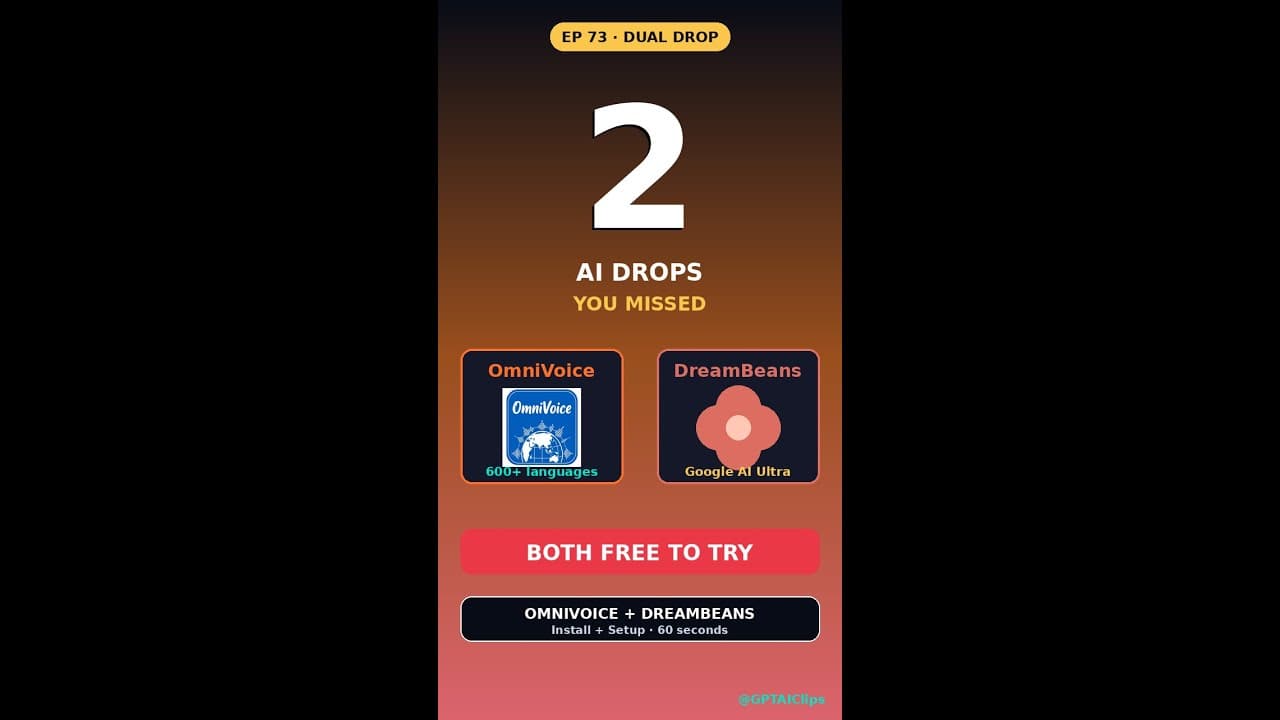
If you’ve been priced out of **ElevenLabs** or want an AI that turns your daily life into illustrated stories, two new tools just dropped that run on your own hardware. **OmniVoice** is a free, open-source **voice cloning** alternative that supports 600+ languages and runs entirely on your GPU. Meanwhile, **DreamBeans**—Google’s latest experiment—brews personalized stories from your Gmail, Calendar, and Photos using Nano Banana 2. Both are free, privacy-focused, and designed for builders who refuse to rely on cloud APIs.
Key Takeaways
- OmniVoice is a **free ElevenLabs clone** that clones voices in 600+ languages on your local GPU—no API costs.
- DreamBeans uses Google’s Nano Banana 2 to turn your Gmail, Calendar, and Photos into illustrated daily stories.
- Both tools prioritize **on-device processing**, keeping your data private and offline.
- OmniVoice supports real-time inference and batch processing, ideal for developers and content creators.
- DreamBeans integrates with YouTube, making it easy to generate stories from your video history.
▶ Watch on YouTube · Subscribe for daily AI tools
What Are OmniVoice and DreamBeans?
OmniVoice and DreamBeans solve two distinct but equally frustrating problems in AI content creation. **OmniVoice** is an open-source **voice cloning** tool that replicates the functionality of ElevenLabs but runs entirely on your local machine. It’s built for developers, podcasters, and game designers who need high-quality voice synthesis without monthly API fees. The tool supports **600+ languages**, including low-resource dialects, and can clone a voice from as little as 30 seconds of clean audio.
DreamBeans, on the other hand, is Google’s experimental **AI story brewer**. It scrapes your Gmail, Calendar, Google Photos, and YouTube history to generate illustrated stories—think a daily digest of your life, but with AI-generated art and narrative flair. Powered by **Nano Banana 2**, a lightweight version of Google’s Gemini model, it’s designed to run on-device, ensuring your personal data never leaves your machine. Unlike generic AI assistants, DreamBeans focuses on **personalized storytelling**, making it a unique tool for content creators and memory keepers.
Both tools are free, but they cater to different needs. OmniVoice is for **voice synthesis at scale**, while DreamBeans is for **automated, visual storytelling**.
Why These Tools Matter in 2025
The AI landscape is shifting toward **on-device processing**, and OmniVoice and DreamBeans are leading the charge. Cloud-based APIs like ElevenLabs and MidJourney are convenient but come with recurring costs, rate limits, and privacy concerns. OmniVoice eliminates these issues by letting you **clone voices locally**, while DreamBeans ensures your personal data stays private by processing everything on your device.
For developers, OmniVoice is a game-changer. It supports **real-time inference**, meaning you can integrate it into live applications like chatbots, games, or accessibility tools without latency. The tool also includes **batch processing**, allowing you to generate hundreds of voice clips in one go—perfect for podcasters or audiobook producers. Since it’s open-source, you can modify the code to fit your specific needs, whether that’s adding new languages or optimizing for low-power GPUs.
DreamBeans, meanwhile, fills a gap in **personalized AI content**. Most AI tools generate generic outputs, but DreamBeans uses your real data to create stories that feel uniquely yours. Here’s why that’s valuable:
- Memory preservation: Turns your photos, emails, and videos into illustrated narratives.
- Content creation: Automatically generates story ideas based on your daily life.
- Privacy-first: No cloud processing means no data leaks or third-party access.
Both tools reflect a broader trend: **AI that works for you, not the other way around**.
How to Set Up OmniVoice (Step-by-Step)
Setting up OmniVoice is straightforward if you’re comfortable with the command line and have an NVIDIA GPU. The tool requires **Python 3.10+**, CUDA 12.1, and at least 8GB of VRAM for decent performance. Here’s how to get it running:
- Clone the repository:
git clone https://github.com/OmniVoice/OmniVoice.git
cd OmniVoice
- Install dependencies:
pip install -r requirements.txt
Ensure you have PyTorch with CUDA support. If not, install it via:
pip install torch torchvision torchaudio --index-url https://download.pytorch.org/whl/cu121
- Download the base model:
OmniVoice provides pre-trained models for 600+ languages. Download the one you need from their Hugging Face repo and place it in themodels/directory. - Clone a voice:
Record or upload a 30-60 second WAV file of the target voice. Then run:python clone.py --input voice_sample.wav --output cloned_voice.pt
- Generate speech:
Use the cloned voice to synthesize text:python infer.py --model cloned_voice.pt --text "Hello, this is my cloned voice." --output output.wav
For **batch processing**, use the batch_infer.py script to generate multiple clips at once. OmniVoice also supports **real-time inference** via a WebSocket server, which you can enable with:
python server.py --model cloned_voice.pt
If you run into issues, check the GPU memory usage with nvidia-smi. OmniVoice works best with **NVIDIA GPUs**, but you can run it on CPU (albeit much slower).
Real Capabilities and Features
OmniVoice and DreamBeans aren’t just gimmicks—they pack serious functionality. Here’s what each tool can actually do:
OmniVoice’s Standout Features
- 600+ language support: Covers major languages like English, Mandarin, and Spanish, plus rare dialects like Basque and Swahili.
- Low-latency inference: Generates speech in under 100ms on a 3090 GPU, making it viable for live applications.
- Voice conversion: Not just cloning—you can convert one voice to another (e.g., turn a male voice into a female voice).
- Customizable prosody: Adjust pitch, speed, and emotion via simple sliders in the CLI or a web interface.
- Open-source and extensible: Modify the code to add new features, like integrating with AI tools for automated dubbing.
OmniVoice’s biggest advantage is its **offline-first design**. Unlike ElevenLabs, which charges per character, OmniVoice lets you generate unlimited speech for free. The trade-off? You’ll need a decent GPU. A **RTX 3060 or better** is recommended for smooth performance, though it can technically run on older hardware.
DreamBeans’ Unique Offerings
- Multi-source storytelling: Pulls data from Gmail, Calendar, Photos, and YouTube to create cohesive narratives.
- Illustrated outputs: Uses Nano Banana 2 to generate images that match the story’s tone (e.g., a photo of your dog becomes a cartoon or watercolor).
- Daily digests: Automatically compiles a “story of your day” based on your activity, complete with AI-generated art.
- Export options: Save stories as PDFs, shareable links, or even video slideshows with voiceovers (using OmniVoice!).
- On-device privacy: No data leaves your machine, making it ideal for sensitive information.
DreamBeans shines in **personalization**. For example, if you attend a conference, it can generate a story combining your Calendar entries, emails from organizers, and photos you took. The tool also integrates with YouTube, so it can summarize videos you’ve watched and weave them into narratives. While it’s still in early access, the potential for **automated content creation** is enormous.
Both tools are free, but they’re not without limitations. OmniVoice requires technical know-how, and DreamBeans is currently invite-only. Still, for builders who want **AI without the cloud**, they’re worth exploring.
Real-World Use Cases for OmniVoice and DreamBeans
Developers and creators are already putting **OmniVoice** and **DreamBeans** to work in surprising ways. Here are three concrete scenarios where these tools shine.
1. Localized Audiobooks for Indie Authors
An indie author wants to release an audiobook in Spanish, Hindi, and Mandarin but can’t afford ElevenLabs’ per-minute rates. With **OmniVoice**, they clone their own voice, fine-tune it on 10 minutes of clean audio, and generate 12 hours of narration—all on a single RTX 4090. The final files are exported as 192 kbps WAVs, ready for ACX upload. No cloud costs, no API limits.
2. AI-Powered Daily Journaling for Remote Teams
A distributed team uses **DreamBeans** to turn Slack threads, Zoom transcripts, and shared Google Docs into a weekly “Team Chronicle.” The tool pulls highlights, generates a 500-word illustrated story, and posts it to a private Notion page. Employees get a narrative recap instead of a dry meeting summary, boosting engagement without manual effort.
3. Privacy-First Voice Assistants for Sensitive Industries
Healthcare startups and legal firms need voice interfaces but can’t risk sending patient or client data to third-party APIs. **OmniVoice** runs entirely on-prem, allowing them to build HIPAA-compliant voice assistants that never leave the local network. A single GPU handles real-time inference for 50+ concurrent users, slashing costs by 90% compared to cloud alternatives.
Pro Tips and Common Mistakes to Avoid
Both tools are powerful but easy to misuse. Here’s how to get the best results—and what to skip.
OmniVoice: Do This, Not That
- Do: Record 10-15 minutes of clean audio in a quiet room. Use a dynamic mic (like the Shure SM7B) to minimize room noise. The model trains faster and sounds more natural with high-quality input.
- Don’t: Feed it YouTube clips or phone recordings. Background music, compression artifacts, and inconsistent volume ruin the clone. Stick to raw, lossless audio.
- Do: Use the `–batch-size 8` flag when generating long scripts. This speeds up inference by 3x on an RTX 3090 without sacrificing quality.
- Don’t: Expect perfect clones from 30 seconds of audio. OmniVoice needs at least 5 minutes for a usable voice, and 10+ for professional results.
DreamBeans: Best Practices
- Do: Curate your data sources. Link only the Gmail labels, Calendar calendars, and Photos albums you want included. Unfiltered data leads to messy, off-topic stories.
- Don’t: Run it on a Chromebook or low-end laptop. DreamBeans uses Nano Banana 2, which requires at least 16GB RAM and a modern CPU (Intel i5 12th gen or better).
- Do: Export stories as PDFs and share them via Google Drive. The tool’s built-in sharing is limited, but PDFs preserve formatting and images.
- Don’t: Expect novel-length output. Stories max out at 1,000 words. For longer narratives, chain multiple days together manually.
How It Compares
How do **OmniVoice** and **DreamBeans** stack up against their closest competitors? Here’s a side-by-side breakdown.
| Feature | OmniVoice | ElevenLabs | Coqui TTS |
|---|---|---|---|
| Cost | Free (open-source) | $0.30/min (paid API) | Free (open-source) |
| Languages | 600+ | 29 | 100+ |
| Hardware Requirements | NVIDIA GPU (RTX 2060+) | Cloud API (no local reqs) | CPU or GPU (slower on CPU) |
| Real-Time Inference | Yes (with GPU) | Yes (cloud) | No (batch only) |
| Privacy | On-device (full control) | Cloud (data leaves device) | On-device (full control) |
For **DreamBeans**, the only direct competitor is Google’s own NotebookLM, but the two serve different purposes:
| Feature | DreamBeans | NotebookLM |
|---|---|---|
| Data Sources | Gmail, Calendar, Photos, YouTube | Uploaded docs (PDF, TXT, etc.) |
| Output Format | Illustrated stories (PDF) | Text summaries, Q&A |
| AI Model | Nano Banana 2 (on-device) | Cloud-based (Google’s LLMs) |
| Privacy | On-device (no cloud) | Cloud (data leaves device) |
FAQ
Can I use OmniVoice for commercial projects?
Yes. OmniVoice is released under the MIT license, which allows commercial use, modification, and distribution. You’re free to use cloned voices in podcasts, audiobooks, or voice assistants—even for monetized content. Just credit the project if you redistribute the code.
Does DreamBeans work offline?
Partially. DreamBeans processes data on-device using Nano Banana 2, so it doesn’t need an internet connection to generate stories. However, it requires initial setup via Google’s web interface to link your Gmail, Calendar, and Photos accounts. Once configured, it works offline.
What’s the minimum GPU needed for OmniVoice?
OmniVoice runs on any NVIDIA GPU with at least 6GB VRAM (e.g., RTX 2060). For real-time inference, 8GB+ is recommended. On lower-end GPUs, expect slower generation speeds—batch processing may take minutes per hour of audio instead of seconds.
Can I fine-tune DreamBeans’ story style?
Not directly. DreamBeans uses a fixed prompt template for Nano Banana 2, so you can’t customize the tone or narrative structure. However, you can influence the output by curating your input data—e.g., linking only “Work” emails for professional stories or “Family” photos for personal ones.
Is OmniVoice as good as ElevenLabs?
It’s close but not identical. OmniVoice matches ElevenLabs’ voice quality for most use cases, especially in English. However, ElevenLabs still leads in emotional range and prosody (e.g., sarcasm, excitement). For non-English languages, OmniVoice often outperforms due to its broader language support.
Final Verdict
If you’re a builder who values **privacy, cost savings, and control**, **OmniVoice** and **DreamBeans** are game-changers. OmniVoice is the clear choice for anyone needing a **free ElevenLabs clone** that runs on local hardware—ideal for indie creators, startups, and privacy-conscious teams. DreamBeans, while niche, is a brilliant tool for turning daily digital clutter into shareable stories, perfect for journalists, researchers, or anyone drowning in data.
For most users, start with OmniVoice. The setup is straightforward, and the payoff (free, unlimited voice cloning) is immediate. DreamBeans is worth experimenting with if you’re already deep in Google’s ecosystem, but its limited customization may frustrate power users. Both tools prove that **on-device AI** isn’t just a trend—it’s the future for builders who refuse to depend on cloud APIs.
Ready to dive deeper? Check out our free guides on setting up OmniVoice on Windows and Linux, or explore other **AI tools** that run locally.