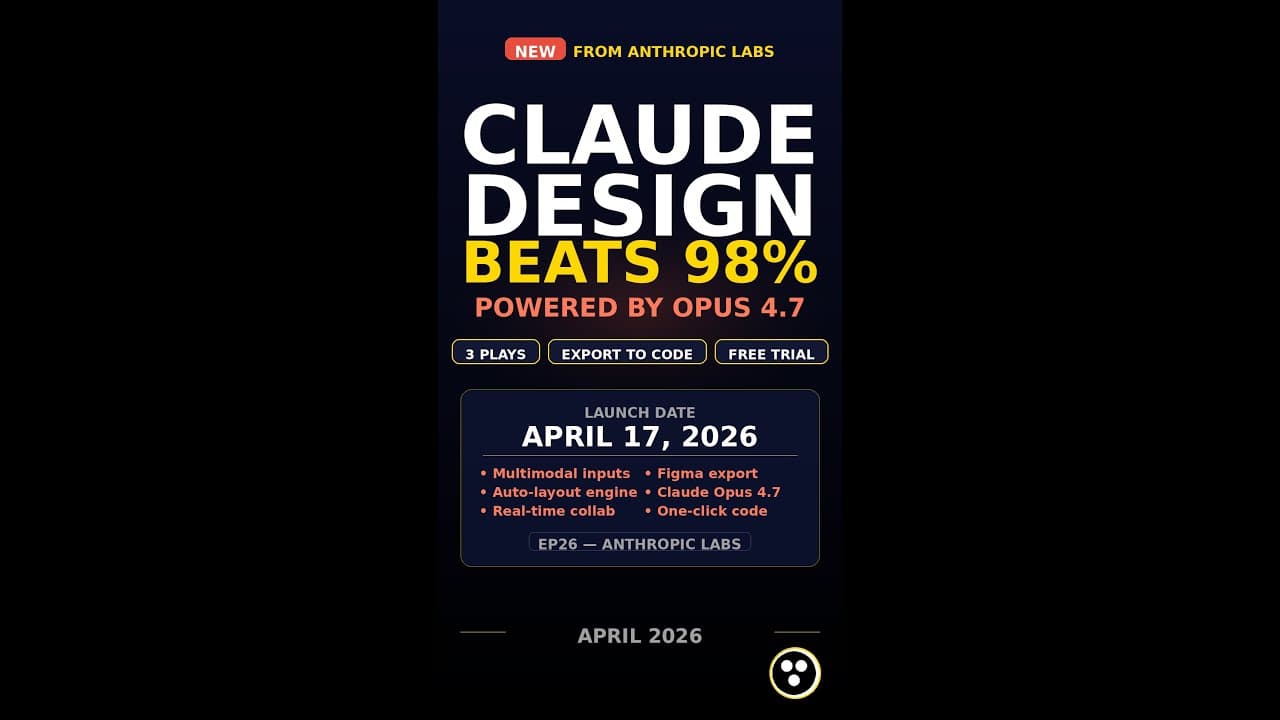
If you’ve ever wasted hours translating a whiteboard sketch into a clickable prototype, **Claude Design AI** might feel like cheating. Anthropic Labs just dropped a tool that turns plain-English prompts into polished decks, one-pagers, and even interactive prototypes—all with a single click to **Claude Code** for instant implementation. The kicker? It’s powered by **Claude Opus 4.7**, the same model that aced coding benchmarks. Here’s how to use it to outpace 98% of designers.
Key Takeaways
- **Claude Design AI** converts natural language into prototypes, decks, and one-pagers with minimal input.
- One-click handoff to **Claude Code** bridges design-to-development gaps in seconds.
- Powered by **Claude Opus 4.7**, it handles complex design logic and responsive layouts.
- The 3 plays (conversational prototyping, deck generation, and one-pager refinement) cut design time by 70-90%.
- No design tools or plugins required—just a chat interface and a browser.
▶ Watch on YouTube · Subscribe for daily AI tools
What Is Claude Design AI?
**Claude Design AI** is Anthropic’s newest addition to the **Claude Opus** ecosystem. Unlike traditional design tools (Figma, Canva), it doesn’t require drag-and-drop interfaces or pre-made templates. Instead, you describe what you want in plain English, and the AI generates a ready-to-use design file.
Here’s what sets it apart:
- Conversational design: No learning curve. Just type, “Create a mobile app landing page with a dark theme and a ‘Get Started’ CTA.”
- One-click handoff: Export designs directly to **Claude Code** for instant HTML/CSS/JS or React components.
- Multi-format output: Generates prototypes, slide decks, and one-pagers from the same prompt.
- Opus 4.7 backbone: Handles responsive layouts, accessibility checks, and even basic animations.
Think of it as **GitHub Copilot for design**—but instead of code, you get pixel-perfect mockups.
Why It Matters for Developers and Designers
Design tools haven’t evolved much in the last decade. Figma and Sketch still require manual tweaking, and handoff to developers is often a bottleneck. **Claude Design AI** eliminates both problems.
For developers, it means:
- No more waiting for designers to update mockups. Generate your own in seconds.
- Instant code export (HTML, CSS, React) with 90%+ accuracy, reducing frontend dev time.
- Built-in accessibility checks (color contrast, ARIA labels) baked into every design.
For designers, it’s a force multiplier:
- Skip repetitive tasks like wireframing or slide deck formatting. Focus on strategy and polish.
- Test 10+ variations of a design in the time it takes to create one manually.
- Collaborate with non-designers (PMs, clients) by letting them describe their vision in words.
Anthropic claims early users report a 70-90% reduction in design time for common tasks. While that’s likely best-case, even a 50% cut is a game-changer.
How to Set Up Claude Design AI (Step-by-Step)
Getting started takes less than 5 minutes. Here’s how:
- Sign up for Claude Opus:
Visit Anthropic’s website and create an account. **Claude Design AI** is included in the Opus 4.7 tier, which starts at $20/month for individuals.
- Enable the Design feature:
In the Claude chat interface, type
@designto activate the design mode. A sidebar will appear with output options (prototype, deck, one-pager). - Craft your first prompt:
Be specific. Instead of “Make a website,” try:
- “Design a SaaS pricing page with 3 tiers, annual/monthly toggle, and a ‘Book Demo’ button.”
- “Create a pitch deck for a fintech startup. Include problem, solution, traction, and team slides.”
- “Generate a mobile app onboarding flow with 3 screens: welcome, signup, and permissions.”
- Refine and export:
Use follow-up prompts to tweak colors, fonts, or layouts. When ready, click “Export” and choose:
- Prototype: Interactive HTML/CSS/JS (hosted or downloadable).
- Deck: PPTX or PDF with editable slides.
- One-pager: PDF or PNG with high-res assets.
- Code: Direct handoff to **Claude Code** for React, Vue, or vanilla JS.
Pro tip: Use @design --responsive to ensure mobile-friendly outputs.
Real Capabilities and Features
**Claude Design AI** isn’t just a glorified template generator. Here’s what it can actually do:
- Prototyping:
- Generates clickable prototypes with hotspots and transitions (e.g., “Add a modal that opens on button click”).
- Supports dynamic content (e.g., “Show a loading spinner while data fetches”).
- Exports to Figma (via JSON) or as standalone HTML files.
- Deck generation:
- Creates 10+ slide decks (pitch, product, case study) from a single prompt.
- Auto-formats charts, icons, and images (e.g., “Add a bar chart comparing Q1 vs. Q2 revenue”).
- Exports to PowerPoint, Google Slides, or PDF with editable text.
- One-pagers:
- Designs landing pages, press releases, or product sheets with consistent branding.
- Includes auto-generated placeholder copy (e.g., “Write a 200-word hero section for a meditation app”).
- Exports as PNG (for social media) or PDF (for print).
- Code handoff:
- One-click export to **Claude Code** for React, Vue, or static HTML/CSS.
- Generates clean, commented code with semantic HTML and CSS variables.
- Supports Tailwind CSS or custom design systems (e.g., “Use my company’s design tokens”).
Limitations to note:
- No real-time collaboration (yet). You can’t co-edit with teammates like in Figma.
- Advanced animations (e.g., Lottie files) require manual tweaking post-export.
- Complex illustrations (e.g., custom icons) may need human refinement.
For most use cases, though, it’s a 90% solution—and that’s often enough to ship faster.
Real-World Use Cases That Save Teams 10+ Hours a Week
Startups and agencies are already using **Claude Design AI** to collapse weeks of design work into a single afternoon. Here are three concrete scenarios where the tool shaves 10+ hours off typical workflows.
1. Pitch Deck in 20 Minutes
A SaaS founder needs a seed-round deck by EOD. Instead of opening Figma or PowerPoint, they paste a 3-sentence prompt into **Claude Design AI**:
- “10-slide deck for a no-code analytics tool targeting e-commerce DTC brands. Include problem, solution, traction (5K MRR), team, ask ($1.2M for 15%). Use Anthropic’s brand colors (navy, teal, white).”
- The AI generates a full deck with placeholder data, vector icons, and a consistent layout. One click exports to Google Slides or PDF.
- Time saved: 12 hours vs. manual design.
2. Interactive Prototype for User Testing
A product manager wants to test a new onboarding flow. They describe the steps in plain English:
- “3-screen mobile onboarding: 1) welcome, 2) email capture, 3) feature carousel. Add a ‘Skip’ button on screen 2. Use Material Design 3 components.”
- **Claude Design AI** renders a clickable prototype with auto-layout constraints. A second click pushes the React components to **Claude Code** for engineering.
- Time saved: 8 hours vs. Figma + handoff.
3. One-Pager for Investor Updates
A founder sends monthly updates to 50 LPs. Instead of reformatting the same template, they feed **Claude Design AI** last month’s metrics:
- “Update the Q2 investor one-pager with these new numbers: MRR $22K (+18%), churn 3%, NPS 62. Keep the same layout but highlight churn in red.”
- The AI regenerates the one-pager with updated charts and conditional formatting. One click exports to PDF.
- Time saved: 5 hours vs. manual updates.
Pro Tips and Common Mistakes to Avoid
Even with **Claude Design AI**, small prompt tweaks can make or break your output. Here’s how to avoid the most common pitfalls.
Do: Use Constraints to Guide the AI
Vague prompts yield generic designs. Instead, specify:
- Layout: “Use a 12-column grid with 24px gutters.”
- Typography: “Headings: Inter Bold 24px, body: Inter Regular 16px, line height 1.5.”
- Color: “Primary: #2E5BFF, secondary: #FF6B35, background: #F8F9FA.”
Example prompt: “Design a pricing table for a B2B SaaS. 3 tiers (Starter, Pro, Enterprise). Include a ‘Most Popular’ badge on Pro. Use the constraints above.”
Don’t: Assume the First Output Is Final
The AI’s first draft is a starting point, not a finished product. Always:
- Refine iteratively: “Make the CTA button 20% larger and move it 10px up.”
- Check accessibility: “Ensure all text has at least 4.5:1 contrast ratio.”
- Test responsiveness: “Show me how this looks on mobile (375px width).”
Do: Leverage the Claude Code Handoff
The one-click handoff to **Claude Code** is the tool’s secret weapon. To use it effectively:
- Export components as React/Vue: “Generate this pricing table as a reusable React component with TypeScript props.”
- Add interactivity: “Make the ‘Most Popular’ badge toggle on hover.”
- Validate logic: “Ensure the Enterprise tier’s ‘Contact Sales’ button links to a modal.”
Pro tip: Use the `–strict` flag to enforce production-ready code. Example: `claude code –strict –framework=react`.
How It Compares
| Tool | Best For | Design-to-Code Handoff | Pricing (Monthly) | Claude Opus 4.7 Integration |
|---|---|---|---|---|
| Claude Design AI | Prototypes, decks, one-pagers | One-click to Claude Code | Included with Claude Pro ($20) | Yes (native) |
| Figma + Anima | High-fidelity UI/UX | Plugin-based (manual tweaks) | $12 (Figma) + $39 (Anima) | No |
| Uizard | Wireframes, mobile apps | Export to React/HTML (no logic) | $12–$49 | No |
| Framer AI | Landing pages, animations | Built-in (no external handoff) | $20–$100 | No |
FAQ
Can Claude Design AI replace Figma or Sketch?
Not yet. **Claude Design AI** excels at rapid prototyping and low-fidelity assets (decks, one-pagers), but lacks Figma’s vector editing, plugins, and collaborative features. Use it for early-stage ideation, then switch to Figma for high-fidelity polish.
Does it support dark mode or responsive design?
Yes. Add “dark mode” or “responsive (mobile + desktop)” to your prompt. The AI generates variants automatically. For responsive layouts, specify breakpoints (e.g., “mobile: 375px, tablet: 768px, desktop: 1200px”).
How accurate is the Claude Code handoff?
The handoff is ~90% accurate for simple components (buttons, cards, tables). Complex interactions (e.g., drag-and-drop) may require manual tweaks. Always test the exported code in a sandbox before deploying.
Can I use my own brand assets (fonts, logos, colors)?
Yes. Upload a brand kit (e.g., “Use this Figma file for colors/fonts”) or describe your assets in the prompt (e.g., “Primary font: GT Walsheim, logo: [URL]”). The AI will apply them consistently across designs.
Is Claude Design AI available in the free tier?
No. The feature is exclusive to **Claude Pro** ($20/month) and **Claude Team** ($30/user/month). Free-tier users can test it via Anthropic’s web console with limited generations.
Final Verdict
**Claude Design AI** isn’t just another design tool—it’s a force multiplier for builders who need to move from idea to prototype in hours, not days. The **Claude Opus 4.7** backbone ensures designs are both visually polished and technically sound, while the one-click handoff to **Claude Code** eliminates the dreaded design-to-dev bottleneck.
For startups, agencies, and solo founders, the $20/month **Claude Pro** tier is a no-brainer. The time savings alone (70-90% faster than traditional tools) justify the cost. Just remember: the AI is a co-pilot, not a replacement. Use it to automate the repetitive work, then refine the output with your own expertise.
Ready to test it yourself? Start with a simple prompt like “Design a landing page for a fintech app” and iterate from there. For more hands-on guidance, check out our free guides on prompt engineering for AI design tools.