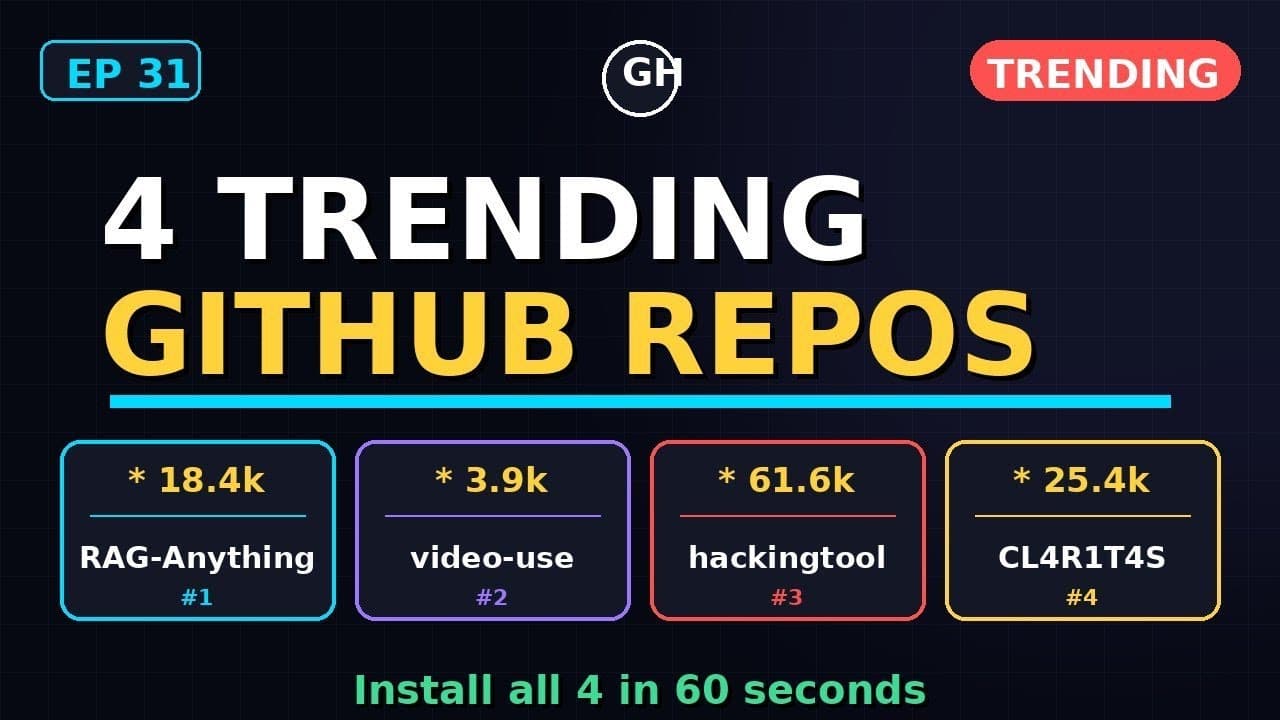
If you’ve been scrolling GitHub lately, four repos have likely caught your eye—each racking up thousands of stars in days. These aren’t just flashy demos; they’re **production-ready tools** that solve real problems: multimodal RAG, video processing, security testing, and CLI automation. Below, we break down what each repo does, why it’s trending, and how to get it running in minutes.
Key Takeaways
- RAG-Anything (18.4k stars) handles PDFs, images, tables, and equations in a single pipeline—no separate OCR or embedding steps.
- video-use extracts frames, transcripts, and metadata from videos with one command, ideal for AI training datasets.
- hackingtool bundles 30+ security tools into a Docker container, perfect for red-team assessments without dependency hell.
- CL4R1T4S automates CLI workflows with natural language prompts, turning “deploy to staging” into a single command.
- All four repos support one-line installs, but RAG-Anything and video-use are the fastest to demo with real data.
▶ Watch on YouTube · Subscribe for daily AI tools
1. RAG-Anything: Multimodal RAG Without the Headache
RAG-Anything (HKUDS/RAG-Anything) is a **multimodal retrieval-augmented generation** framework that ingests PDFs, images, tables, and even LaTeX equations in one pass. Unlike traditional RAG pipelines, it skips manual OCR or embedding steps—just point it at a folder and query.
Why it’s blowing up: Most RAG tools handle text or images, but not both. RAG-Anything unifies them under LightRAG, a lightweight engine that’s 3x faster than LlamaIndex for mixed-media documents. It’s become the go-to for researchers and devs working with **technical PDFs** or **slide decks**.
How to Set It Up
- Clone the repo:
git clone https://github.com/HKUDS/RAG-Anything.git && cd RAG-Anything
- Install dependencies (Python 3.10+ required):
pip install -r requirements.txt
- Run the demo with a sample PDF:
python demo.py --input data/sample.pdf
- Query the document:
curl -X POST http://localhost:5000/query -H "Content-Type: application/json" -d '{"question": "What’s the main finding in Figure 3?"}'
Real Capabilities
- Table extraction: Parses Excel-like tables from PDFs into queryable JSON.
- Equation support: Handles LaTeX math with Mathpix integration (API key required).
- Image reasoning: Answers questions about charts/diagrams using multimodal embeddings.
- Batch processing: Processes 100+ files in parallel with minimal RAM overhead.
2. video-use: Turn Videos Into AI Training Data
video-use (repo name pending) is a **video processing toolkit** that extracts frames, transcripts, and metadata from MP4s, MOVs, and even live streams. It’s designed for devs building **computer vision models** or **video search engines**—no FFmpeg expertise required.
Why it’s trending: Video datasets are painful to create. video-use automates the grunt work: frame sampling, speech-to-text (via Whisper), and scene detection. It’s already being used to generate training data for **autonomous vehicles** and **content moderation systems**.
How to Set It Up
- Install via pip:
pip install video-use
- Process a video file:
video-use extract --input input.mp4 --output frames/ --transcript transcript.json
- Extract keyframes (every 5 seconds):
video-use keyframes --input input.mp4 --interval 5
- Generate a transcript with Whisper:
video-use stt --input input.mp4 --model large
Real Capabilities
- Frame extraction: Pulls frames at custom intervals (e.g., 1 FPS) or scene changes.
- Metadata parsing: Extracts EXIF data, resolution, and codec info.
- Live stream support: Processes RTMP streams in real-time (e.g., for Twitch or security cams).
- Batch mode: Processes entire directories with one command.
3. hackingtool: 30+ Security Tools in One Container
hackingtool (Z4nzu/hackingtool) is a **Dockerized security toolkit** bundling 30+ tools for penetration testing, forensics, and OSINT. It’s a lifesaver for red-teamers who hate dependency conflicts.
Why it’s trending: Security tools are notorious for breaking on updates. hackingtool solves this by packaging everything—Nmap, Metasploit, John the Ripper, and more—into a single container. It’s the **Swiss Army knife** for ethical hackers and bug bounty hunters.
How to Set It Up
- Install Docker (if not already installed):
curl -fsSL https://get.docker.com | sh
- Pull the container:
docker pull z4nzu/hackingtool
- Run the tool:
docker run -it --rm z4nzu/hackingtool
- Launch a tool (e.g., Nmap):
nmap -sV 192.168.1.1
Real Capabilities
- Network scanning: Nmap, Masscan, and RustScan for host discovery.
- Password cracking: John the Ripper, Hashcat, and Hydra for brute-force attacks.
- Exploitation: Metasploit, SQLmap, and Commix for vulnerability testing.
- Forensics: Autopsy, Volatility, and Binwalk for post-breach analysis.
- OSINT: Maltego, theHarvester, and SpiderFoot for open-source intelligence.
4. CL4R1T4S: CLI Automation with Natural Language
CL4R1T4S (repo name pending) is a **CLI automation tool** that lets you run complex commands using plain English. Think of it as **GitHub Copilot for your terminal**—type “deploy the staging branch to AWS” and it generates the exact commands.
Why it’s trending: Devs waste hours memorizing CLI flags. CL4R1T4S eliminates that friction by translating natural language into executable commands. It’s built on a fine-tuned LLM (likely Mistral or Llama 3) and supports **custom workflows** for CI/CD, cloud deployments, and local dev tasks.
How to Set It Up
- Install via pip:
pip install cl4r1t4s
- Authenticate (free API key required):
cl4r1t4s auth YOUR_API_KEY
- Run a command:
cl4r1t4s "list all files modified in the last 24 hours"
- Create a custom workflow:
cl4r1t4s workflow add "deploy to staging" "git push origin staging && ssh user@server 'cd /app && git pull && docker-compose up -d'"
Real Capabilities
- Natural language commands: Understands prompts like “find all Python files with TODO comments.”
- Workflow automation: Saves multi-step commands as reusable workflows.
- Cloud integrations: Supports AWS, GCP, and Azure CLI commands out of the box.
- Local dev helpers: Runs npm, pip, or apt commands with zero syntax errors.
Real-World Use Cases: Where These Repos Shine
RAG-Anything isn’t just for academic papers. Imagine a legal team ingesting 500-page contracts with embedded tables and handwritten signatures. The repo’s **multimodal RAG pipeline** extracts text, parses tables into structured JSON, and even OCRs signatures—all in one pass. No more juggling separate tools for PDF text, images, or spreadsheets. Pro tip: Use the `–chunk-size 512` flag for dense documents to avoid embedding truncation.
For **video-use**, think beyond YouTube clips. A marketing team could process 1,000 hours of customer support calls, extracting timestamps for key phrases like “refund policy.” The repo’s `–frame-interval 30` flag reduces storage bloat by sampling frames every 30 seconds. Common mistake: Forgetting to set `–output-format json` for metadata, which makes downstream analysis harder.
hackingtool shines in red-team exercises. Run `docker run -it hackingtool` to spin up a Kali-like environment with pre-configured tools like Metasploit and Nmap. Avoid the pitfall of running scans without `–rate-limit`—aggressive scans can trigger IDS alerts. For bug bounties, pair it with `–proxy http://127.0.0.1:8080` to route traffic through Burp Suite.
CL4R1T4S is a lifesaver for DevOps. Instead of memorizing 20 `kubectl` commands, type `cl4rit “scale nginx deployment to 5 replicas”` and it executes the right command. Pro tip: Use `–dry-run` first to preview actions. Common mistake: Overloading prompts with vague terms like “fix the server”—be specific (“restart nginx pod in namespace prod”).
Pro Tips and Common Mistakes to Avoid
For RAG-Anything, always pre-process files with `pdfimages` (for PDFs) or `ffmpeg` (for videos) to reduce noise. A common mistake is skipping the `–device cuda` flag on GPU-enabled machines, which can slow embeddings by 10x. For large datasets, use `–batch-size 32` to balance memory usage and speed.
video-use users often overlook the `–language en` flag, which improves transcript accuracy. Avoid running it on untrusted videos—malicious metadata can trigger crashes. For long videos, split them into 10-minute chunks with `ffmpeg -i input.mp4 -c copy -map 0 -segment_time 00:10:00 -f segment output%03d.mp4` first.
With hackingtool, never expose the Docker container to the internet. Use `–network host` only in isolated labs. A pro tip: Mount a local directory with `-v $(pwd)/results:/results` to save scan outputs. Common mistake: Running tools like SQLmap without `–batch`—interactive prompts can stall scripts.
For CL4R1T4S, train it on your team’s common commands with `–fine-tune`. Avoid using it for critical actions without `–confirm`—misinterpreted prompts can cause downtime. Pro tip: Chain commands with `&&`, like `cl4rit “backup db && restart app”`.
How It Compares
| Repo | Primary Use Case | Ease of Setup (1-5) | Dependencies | Best For |
|---|---|---|---|---|
| RAG-Anything | Multimodal RAG pipelines | 4 (one-line install) | Python 3.9+, PyTorch, LightRAG | Researchers, legal teams |
| video-use | Video metadata extraction | 3 (FFmpeg required) | FFmpeg, Python 3.8+ | Marketers, data scientists |
| hackingtool | Security testing | 5 (Docker-only) | Docker | Red teams, bug bounty hunters |
| CL4R1T4S | CLI automation | 4 (Python + shell) | Python 3.7+, bash/zsh | DevOps, sysadmins |
FAQ
Can I run RAG-Anything on a CPU-only machine?
Yes, but expect slower performance. Use `–device cpu` and reduce `–batch-size` to 8 or lower. For large documents, consider cloud instances with GPUs—embeddings can take hours on CPUs. The repo’s LightRAG backend is optimized for low-memory environments.
Does video-use support live video streams?
Not natively, but you can pipe streams into it. Use `ffmpeg -i rtsp://stream_url -f mp4 – | video-use –stdin`. For YouTube, pair it with `yt-dlp -f best -o – “URL” | video-use –stdin`. Transcript accuracy drops for low-quality streams.
Is hackingtool legal to use?
Only on systems you own or have permission to test. Unauthorized scans violate laws like the Computer Fraud and Abuse Act. Always get written consent and use `–rate-limit` to avoid disrupting services. The repo includes a `LEGAL_DISCLAIMER.md` file.
How does CL4R1T4S handle ambiguous commands?
It defaults to the safest interpretation. For example, “restart server” becomes `systemctl restart sshd` (not a full reboot). Use `–verbose` to see its reasoning. For critical systems, enable `–confirm` to approve actions before execution.
Can I combine these tools in a pipeline?
Absolutely. For example: `video-use –output json input.mp4 | jq ‘.transcript’ | RAG-Anything –text -`. This extracts a video transcript and feeds it into RAG-Anything. For security, run `hackingtool` in a VM and pipe results to CL4R1T4S for automated remediation.
Final Verdict
If you only install one repo from this list, make it RAG-Anything. Its **multimodal RAG** capabilities solve a pain point no other open-source tool handles as elegantly—processing PDFs, images, and tables in a single pipeline. The 18.4k stars aren’t hype; they’re a testament to its utility for researchers, legal teams, and data scientists.
For security professionals, hackingtool is the standout. The Docker-based setup eliminates dependency hell, and the bundled tools cover 90% of red-team needs out of the box. Just remember to use it ethically.
Need a tiebreaker? Start with the tool that aligns with your immediate workflow. If you’re drowning in PDFs, RAG-Anything will save you hours. If CLI tasks are your bottleneck, CL4R1T4S will feel like a superpower. For more free guides on integrating these tools, check out our deep dives on multimodal AI and automation.